
Chadwick Boseman/
Black Panther

Just because 2020 has to be a continual knee to the groin, I was shocked at the death of Chadwick Boseman. Apparently, he spent a lot of time visiting children in cancer wards (of course, I didn't realize how personal that was to him, as he had been battling colon cancer for four years). Being a nerd, of course I figured I should do a digital painting of him as Black Panther.
I decided to use Procreate, an App I really haven't used all that often. But, I watched some videos of people using it to good effect, so figured I'd give it a shot. I mean, I bought it when I first got the iPad Pro, but only used a couple times. I think I still generally prefer using Clip Studio Paint and Art Studio. But, this turned out pretty well, so maybe I'll switch it up a bit more.
And, hey, here's a video of the process. It turns out Procreate does a video of each brush stroke and I figured "What the heck, it may be fun for people to watch over my shoulder (metaphorically)..." In this case, I exported it as a 30 second video so it would be small enough to properly upload.
Watch me sketch it out, realize this part here is out of proportion, redraw this section over here, and then color here and there! Watch to see if there's any sort of method to my madness (Spoilers: There isn't). Lots of back-and-forth. Sure, there's a full six-minute video I could export, but I can't imaging too many people interested in that. So, here's the 6 hour or so process (give-or-take) compressed down to 22 seconds. (If you're interested, click on the Full Screen button on the bottom right to get a better view... the thumbnail is kinda small...)
* * *

STEP ONE: The canvas was 8.5" x 11" @ 300dpi / 2,550px x 3,300px @ 300dpi, and the digital pencils were done using the standard HB Pencil brush.
* * *
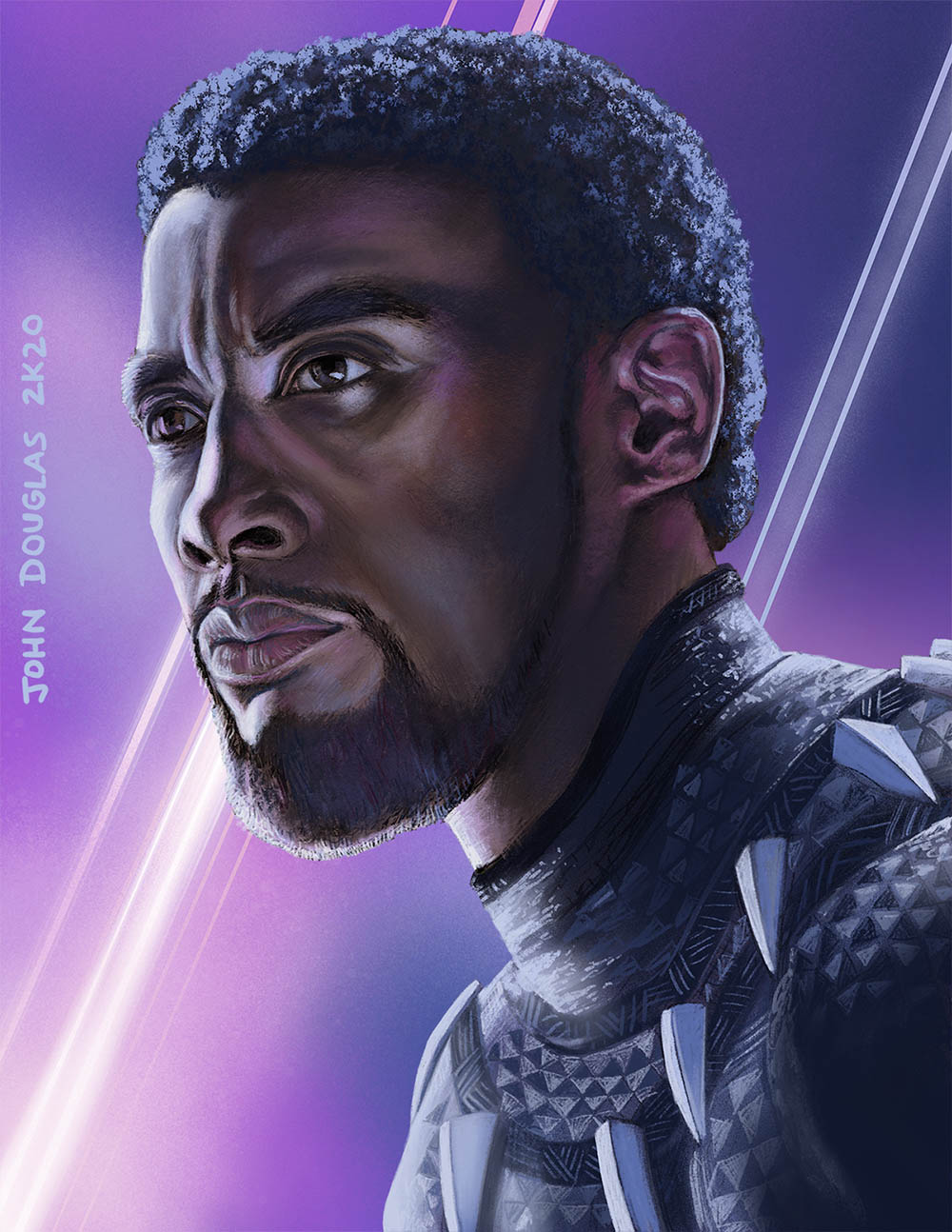
STEP TWO: I don't have any progress pictures between the pencils and here, but there's a video above, so that's different. I kept everything on just a few layers. There was one layer for the background colors, a layer for the head, and one for the body, and a couple copies of the pencils, which I moved to the top. I blocked in the head and Alpha-Locked it, and did the say for the body. I did some rough coloration beneath the pencils, then merged the pencils down to more fully integrate the line work into the painting. Mostly it was painted with a combination of the various default Charcoal Brushes and Pencil Brushes in Procreate, with an assist with the blending brush.
* * *
Done digitally with Procreate on an iPad Pro.
.


